 |
Power Bookmarks 1.0.0
Save and Share camera views with ease
|
|
Power Bookmarks 1.0.0
Save and Share camera views with ease
|
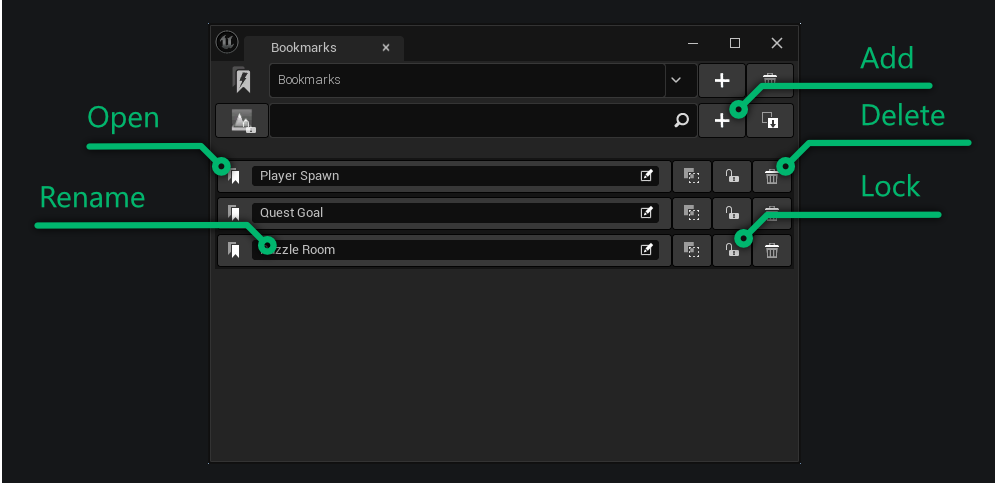
After installing the plugin you can click the menu entry Tools -> Power Bookmarks. A new tab opens that shows the bookmarks.

The bookmark tab manges multiple categories (lists) of bookmarks. They are all listed vertically below the general control ui.
| Function | Description |
|---|---|
| Add | Creates a new bookmark with the camera view the level editor currently has and adds it to the currently selected category. |
| Delete | Deletes the bookmark from the list. |
| Open | Opens the bookmark and sets the view camera to the saved transform. Will also open the level the bookmark was created for. |
| Rename | Changes the name of a bookmark. Does not allow duplicates. |
| Lock | Locks the bookmark against changes (Renaming, Deleting) and disables those buttons. |
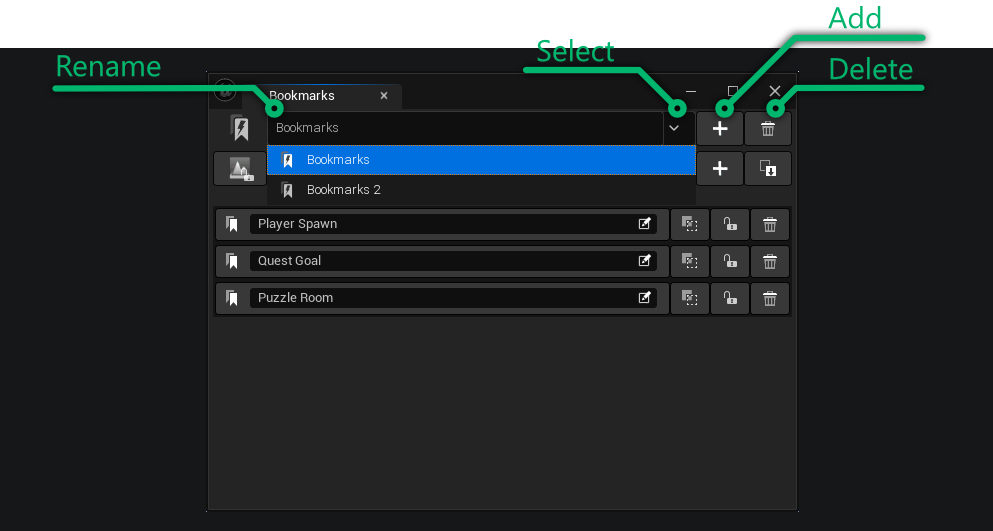
Categories are managed similarly to bookmarks with their own dedicated buttons.
| Function | Description |
|---|---|
| Add | Creates a new category and auto-selects it. |
| Delete | Deletes the category and all its bookmarks. |
| Select | Select a different category to display the bookmarks it contains. |
| Rename | Changes the name of the selected category. If the new name is already used by another category the name will not be updated. |
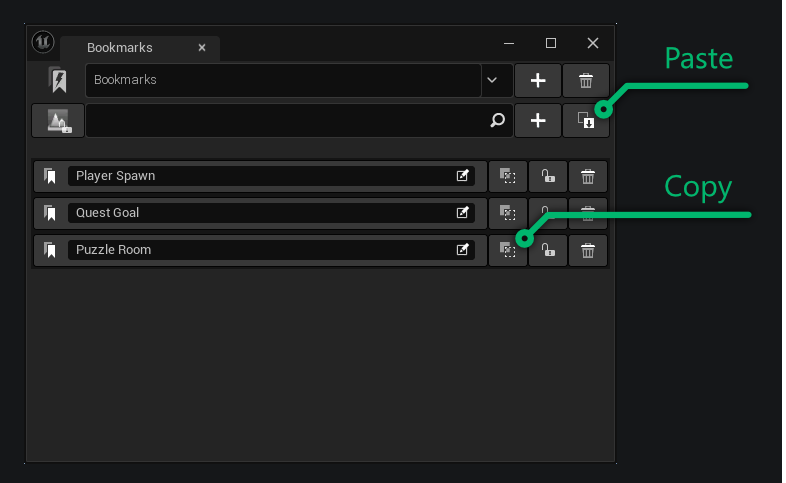
There are two ways to share bookmarks:
| Function | Description |
|---|---|
| Copy | Copies the bookmark to the clipboard. The data is shared through a condensed JSON string. |
| Paste | Reads the contents of the clipboard and creates a new bookmark if successful. The bookmark is pasted into the selected category. The original name is kept unless it conflicts with an existing one. |
Example bookmark JSON string:
The plugin will save all bookmarks to Config/DefaultBookmarks.ini. If you would like to track or share changes simply add the file to your source control. If the provider you are using supports locking (e.g. P4) the plugin will automatically checkout the file. You will need to manually checkin though.
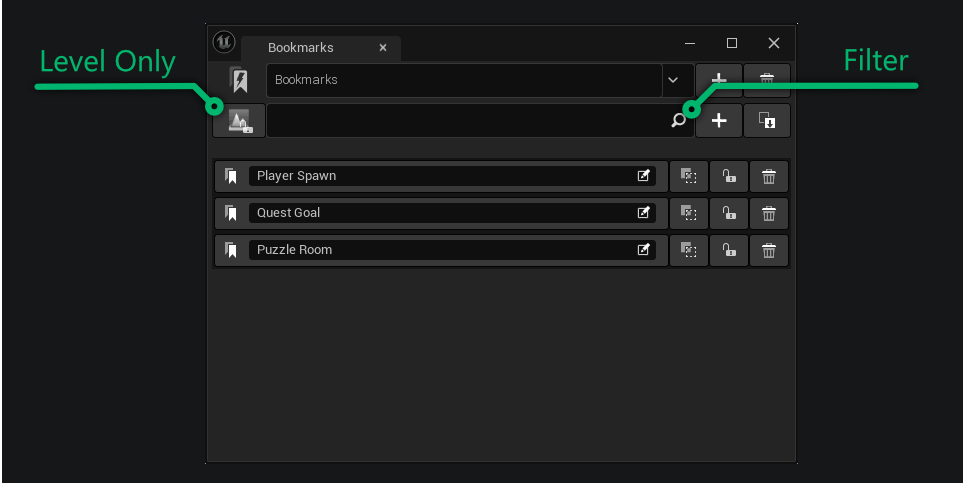
To manage many bookmarks there are filter options available.
| Function | Description |
|---|---|
| Level Only | Only show bookmarks that are for the currently open level. All bookmarks for other levels will be hidden. |
| Filter | This is a text input field, if anything is entered only the bookmarks with names matching the text are displayed. |
 1.15.0